🛰️ 店匠smartnews像素
创建像素
登录之后是这样的,点击event
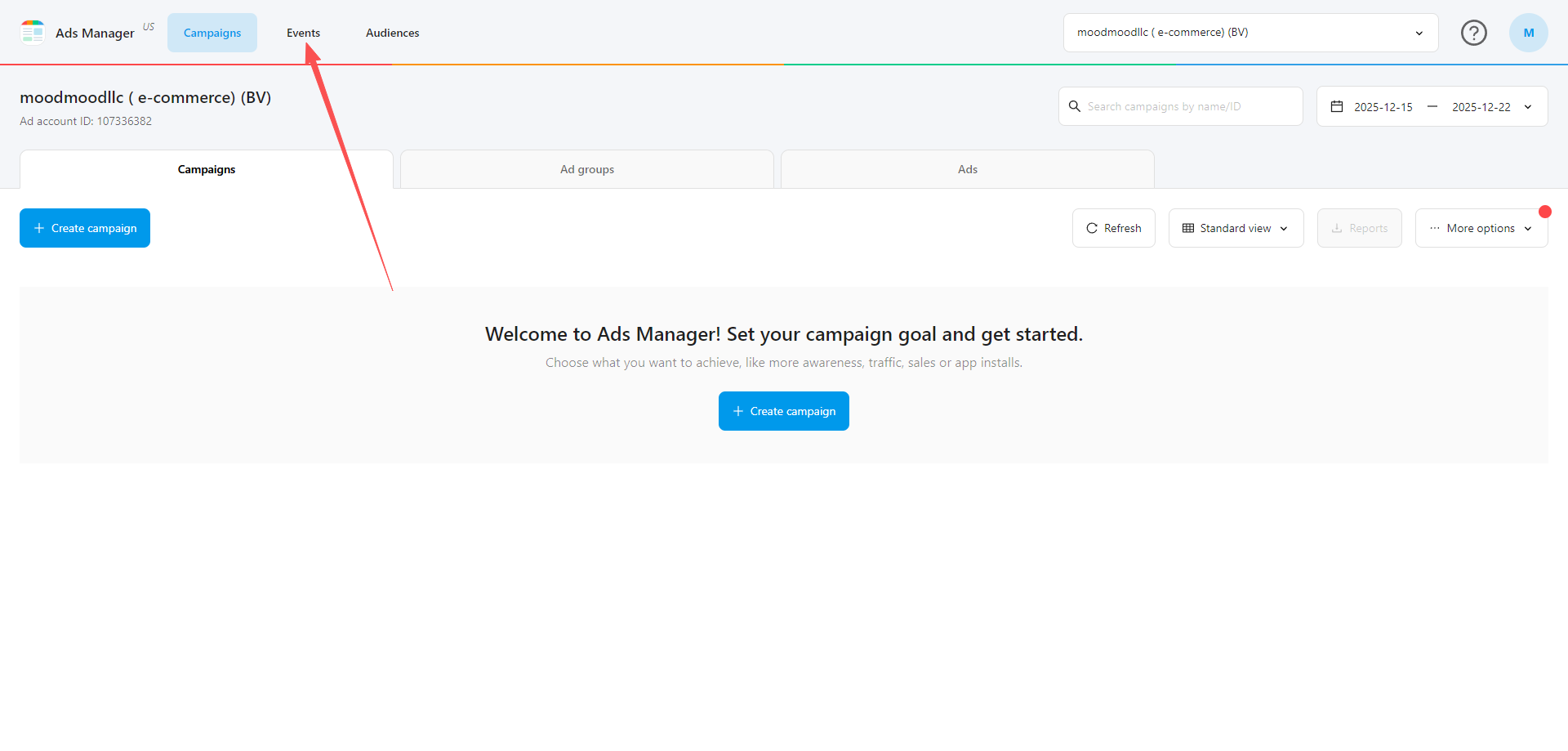
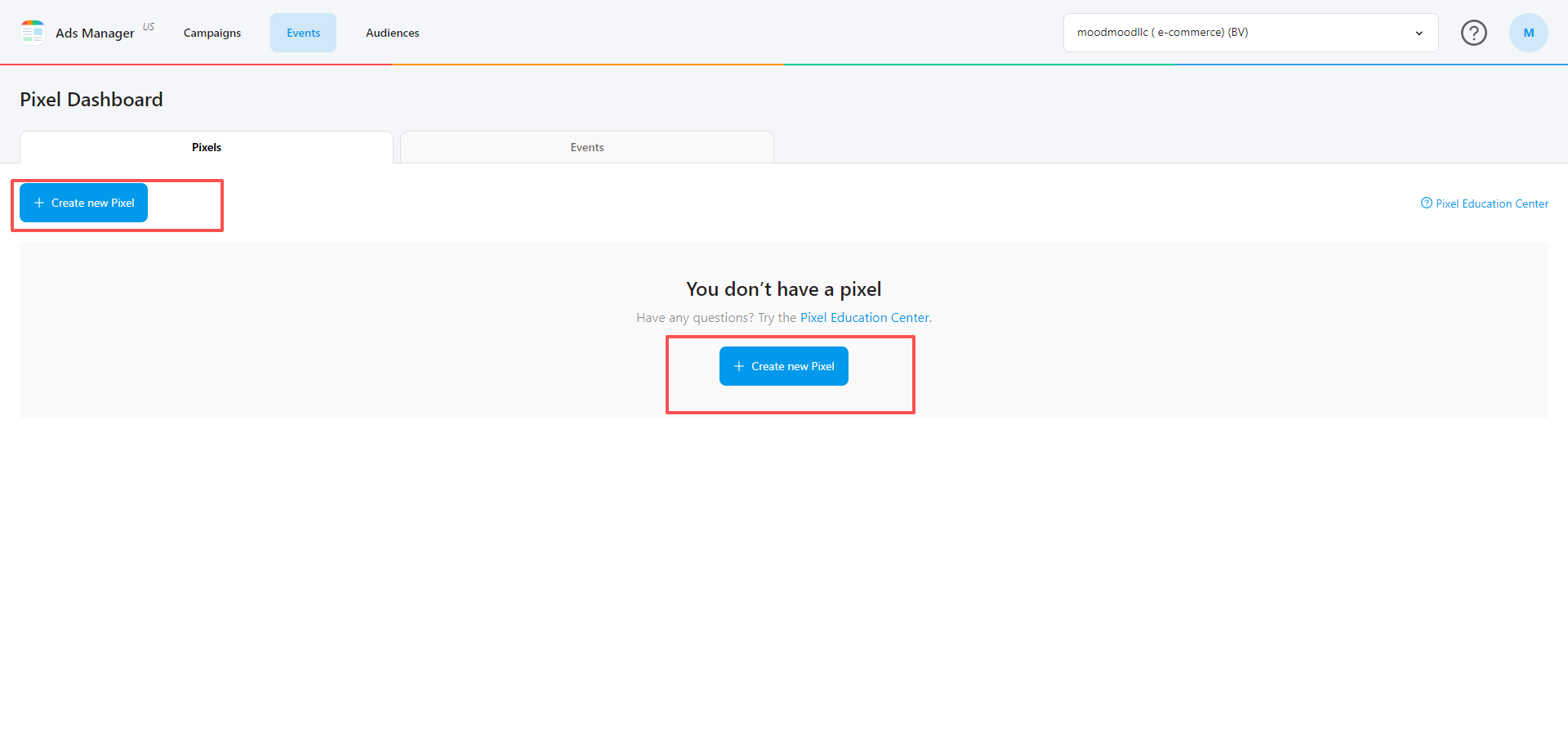
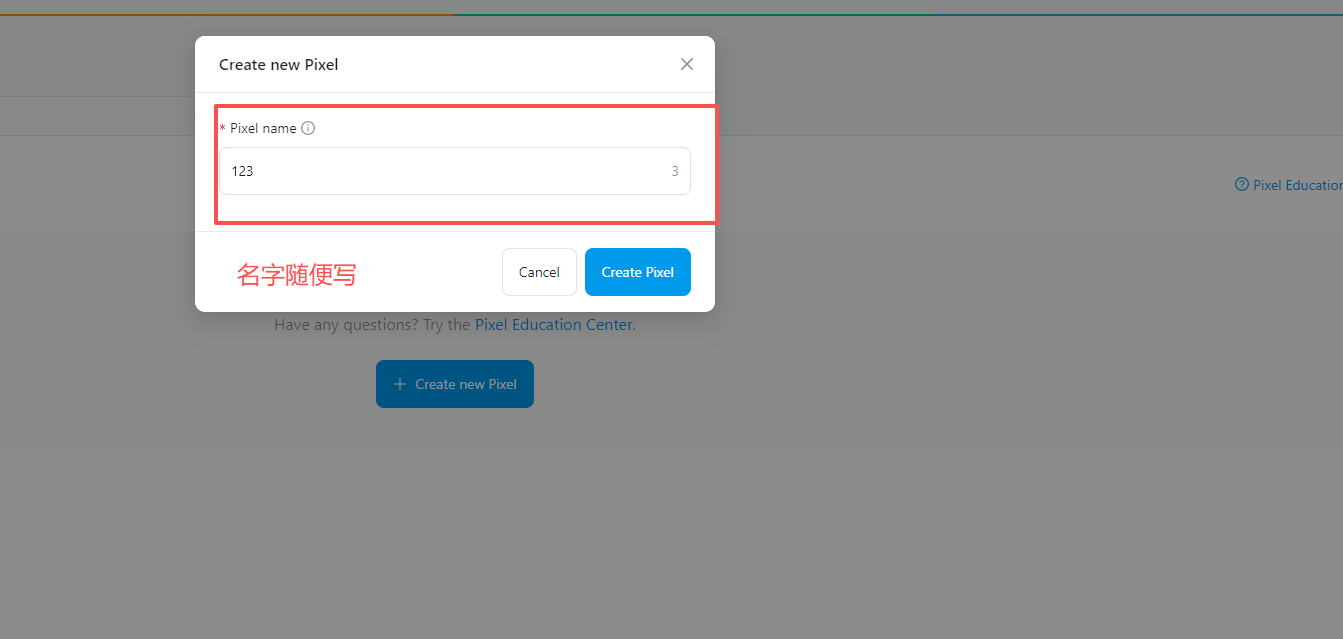
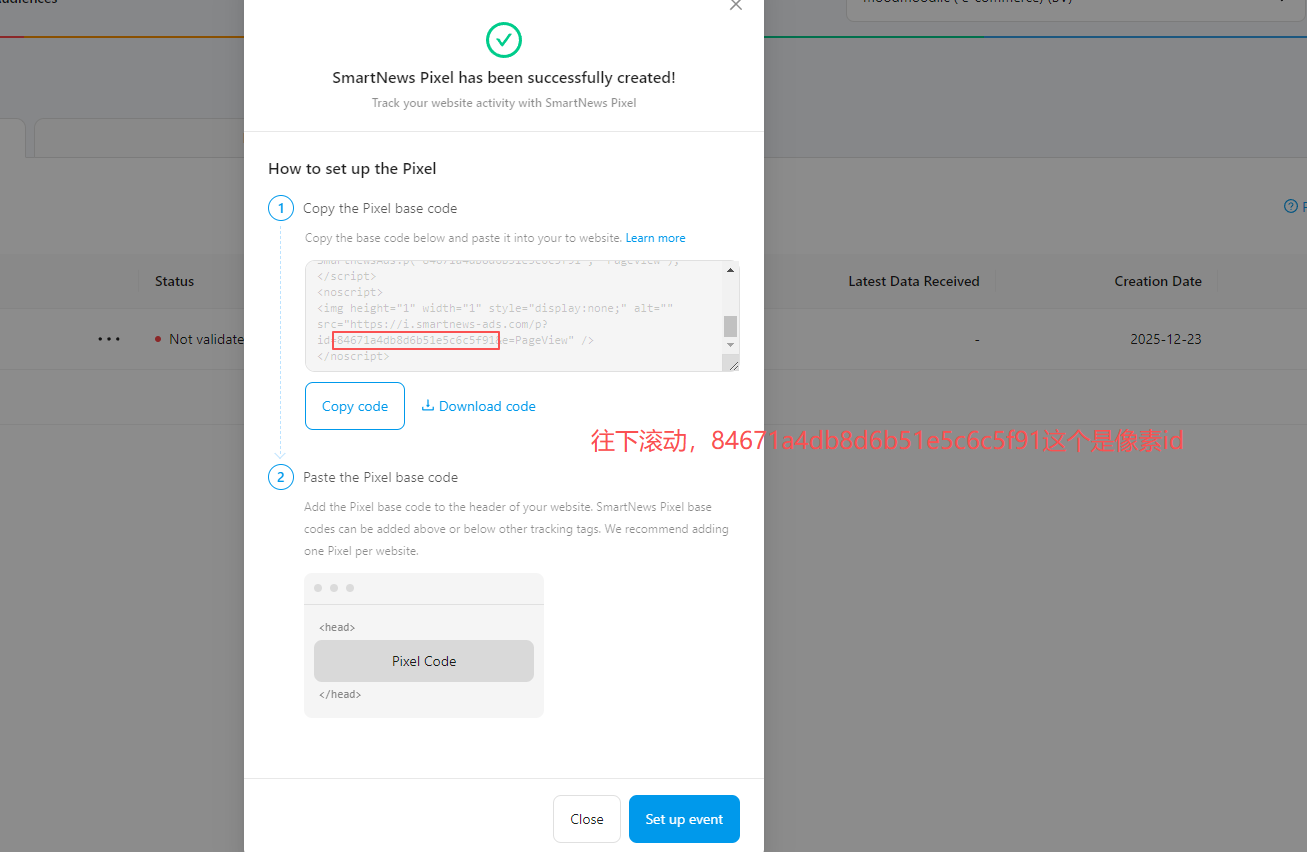
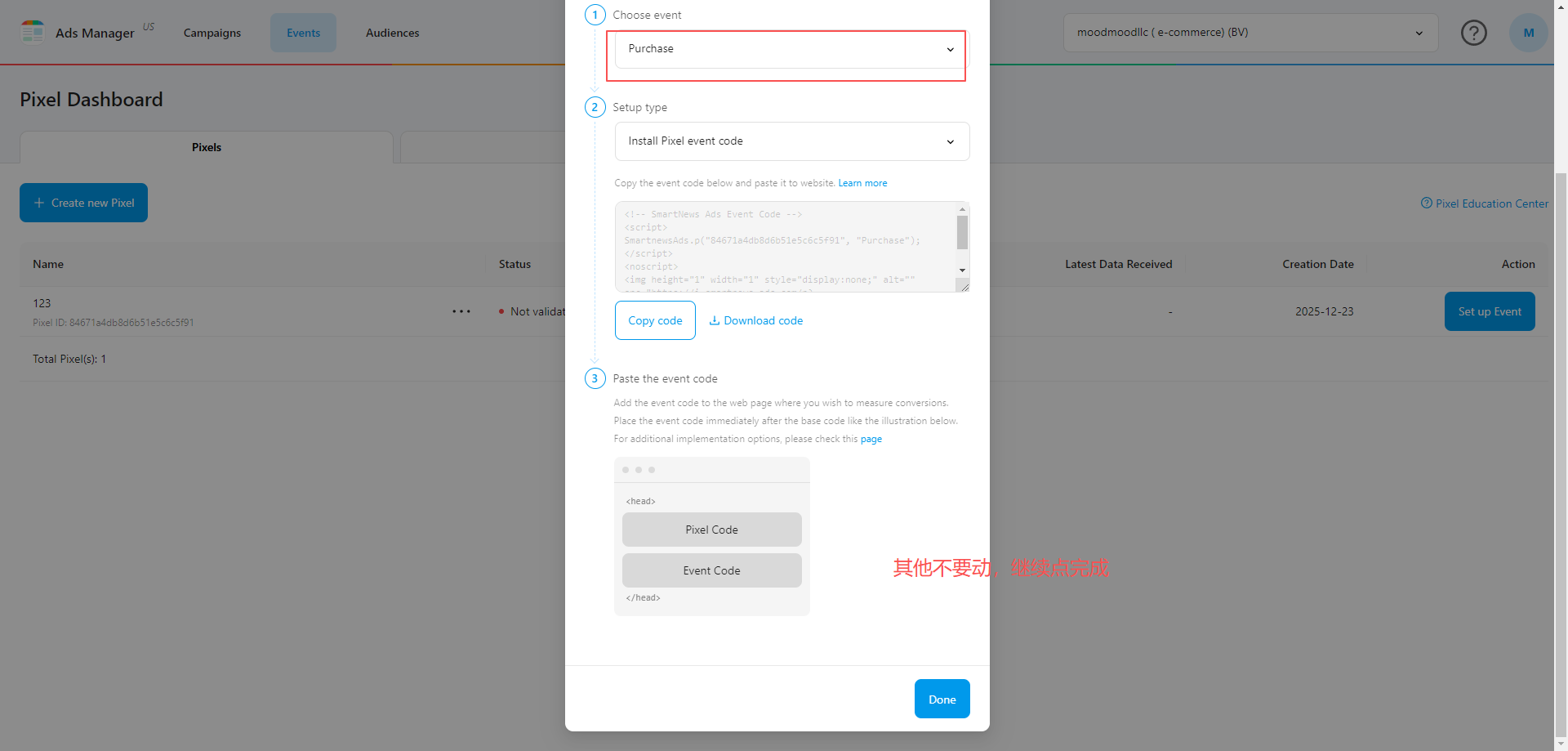
这样就创建完了,直接创建广告就行了,不需要激活像素,按照上面的步骤填写到店铺了,有事件自己激活
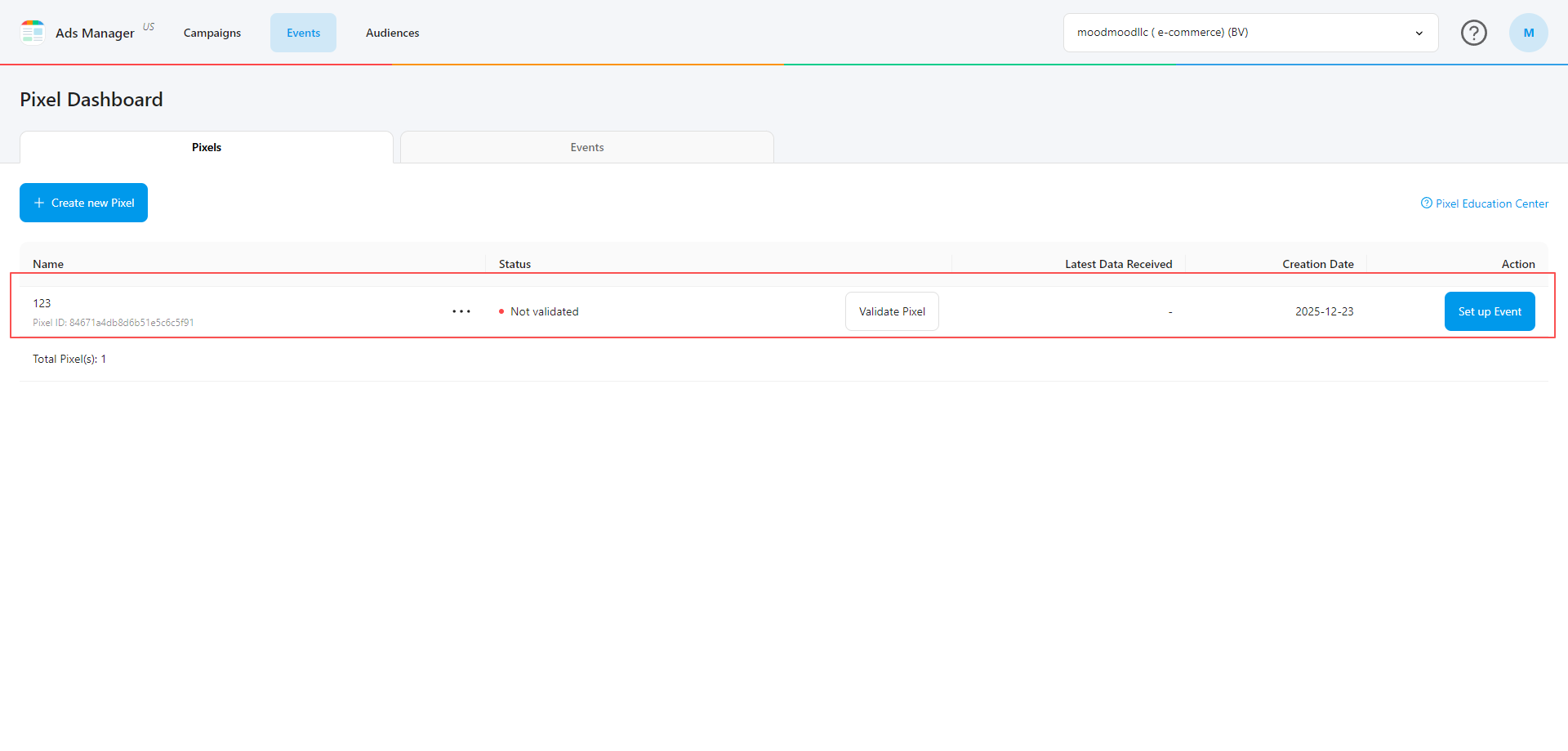
像素聚合插件,自定义像素添加
初始化:
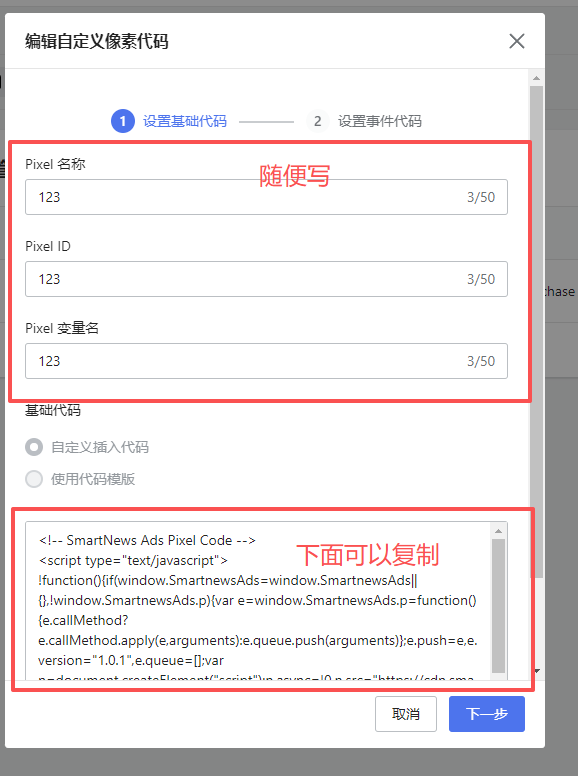
<!-- SmartNews Ads Pixel Code -->
<script type="text/javascript">
!function(){if(window.SmartnewsAds=window.SmartnewsAds||{},!window.SmartnewsAds.p){var e=window.SmartnewsAds.p=function(){e.callMethod?e.callMethod.apply(e,arguments):e.queue.push(arguments)};e.push=e,e.version="1.0.1",e.queue=[];var n=document.createElement("script");n.async=!0,n.src="https://cdn.smartnews-ads.com/i/pixel.js";var s=document.getElementsByTagName("script")[0];s.parentNode.insertBefore(n,s)}}();
SmartnewsAds.p("自己像素id", "PageView");
</script>
<noscript>
<img height="1" width="1" style="display:none;" alt="" src="https://i.smartnews-ads.com/p?id=自己像素id&e=PageView" />
</noscript>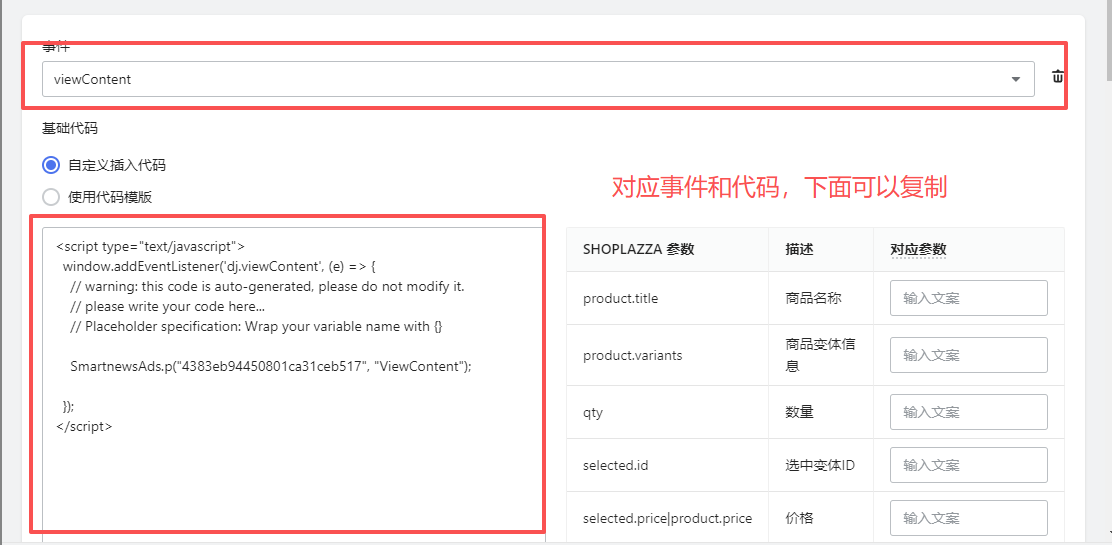
viewcontent
<script type="text/javascript">
  window.addEventListener('dj.viewContent', (e) => {
    // warning: this code is auto-generated, please do not modify it.
    // please write your code here...
    // Placeholder specification: Wrap your variable name with {}

    SmartnewsAds.p("自己像素id", "ViewContent");

  });
</script>
addtocart
<script type="text/javascript">
  window.addEventListener('dj.addToCart', (e) => {
    SmartnewsAds.p("自己像素id", "AddToCart");
  });
</script>
initiateCheckout
<script type="text/javascript">
  window.addEventListener('dj.initiateCheckout', (e) => {
    // warning: this code is auto-generated, please do not modify it.
    // please write your code here...
    // Placeholder specification: Wrap your variable name with {}

    SmartnewsAds.p("自己像素id", "InitiateCheckout");

  });
</script>
purchase
<!-- Listen Purchase -->
<script type="text/javascript">
  window.addEventListener('dj.purchase', () => {
    SmartnewsAds.p("自己像素id", "Purchase");
  });
</script>
发布时间: